

You can manually assign passes to clients whether the pass purchase option is set to manual purchase or sell pass online.
Step-by-step guide:
1. Go to Clients
2. Select the client you’d like to assign a pass to.
3. In the Passes section, click Add pass.
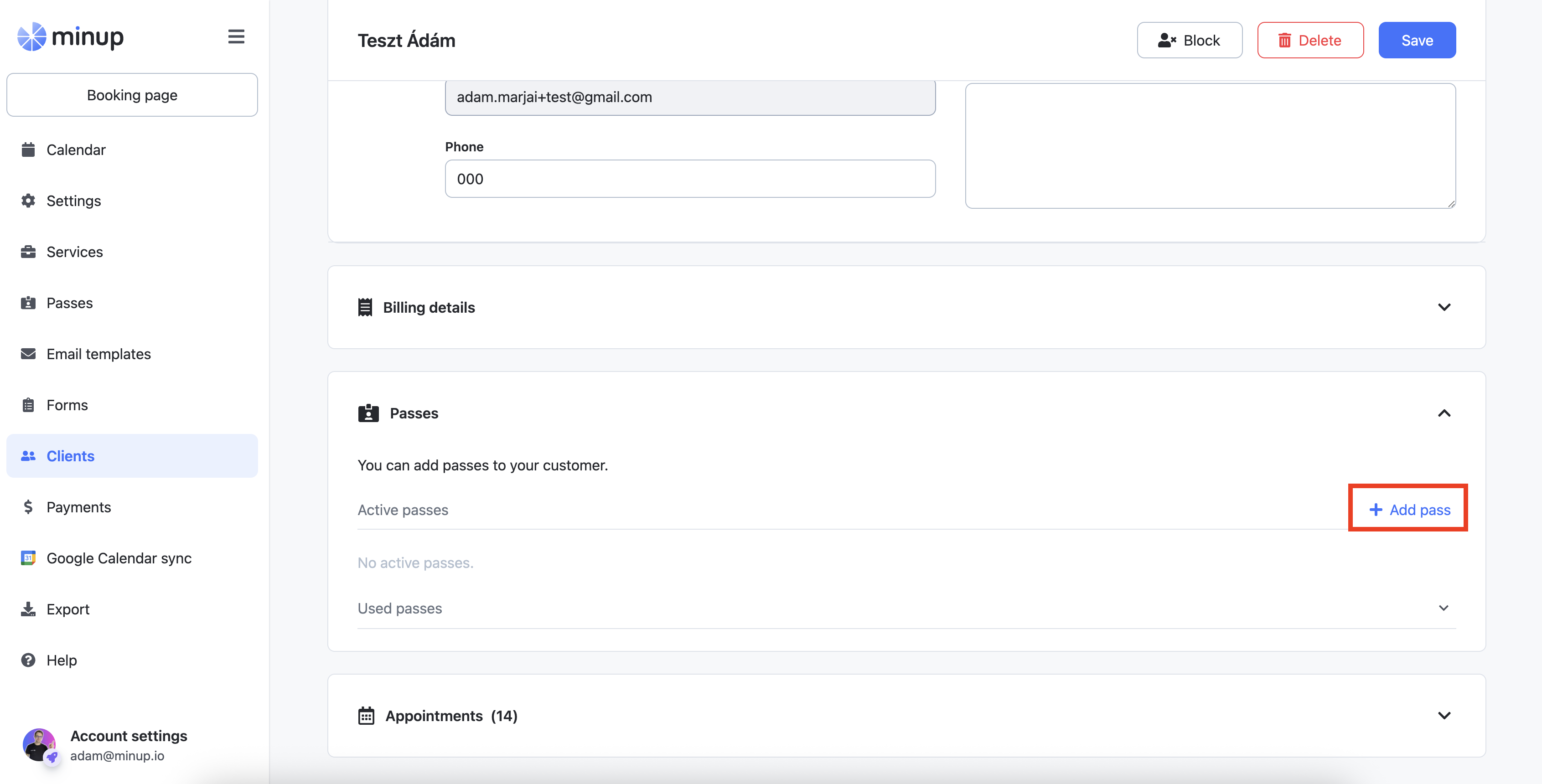
4. Choose the pass type you want to assign.
5. The pass validity will be set automatically, but you can adjust it if needed.
6. Click Add to confirm.
Once added, your client will receive an email notification containing the pass details and pass number, which can be used to book appointments.
The pass will also appear in the client’s Guest account.
When the client books appointments using the pass, sessions will automatically be deducted from the remaining balance. If the service provider prefers to adjust these manually, they can do so in the client’s profile under the Passes section.