

Yes, you can share your booking page in multiple languages. Your clients can select their preferred language directly on the booking page.
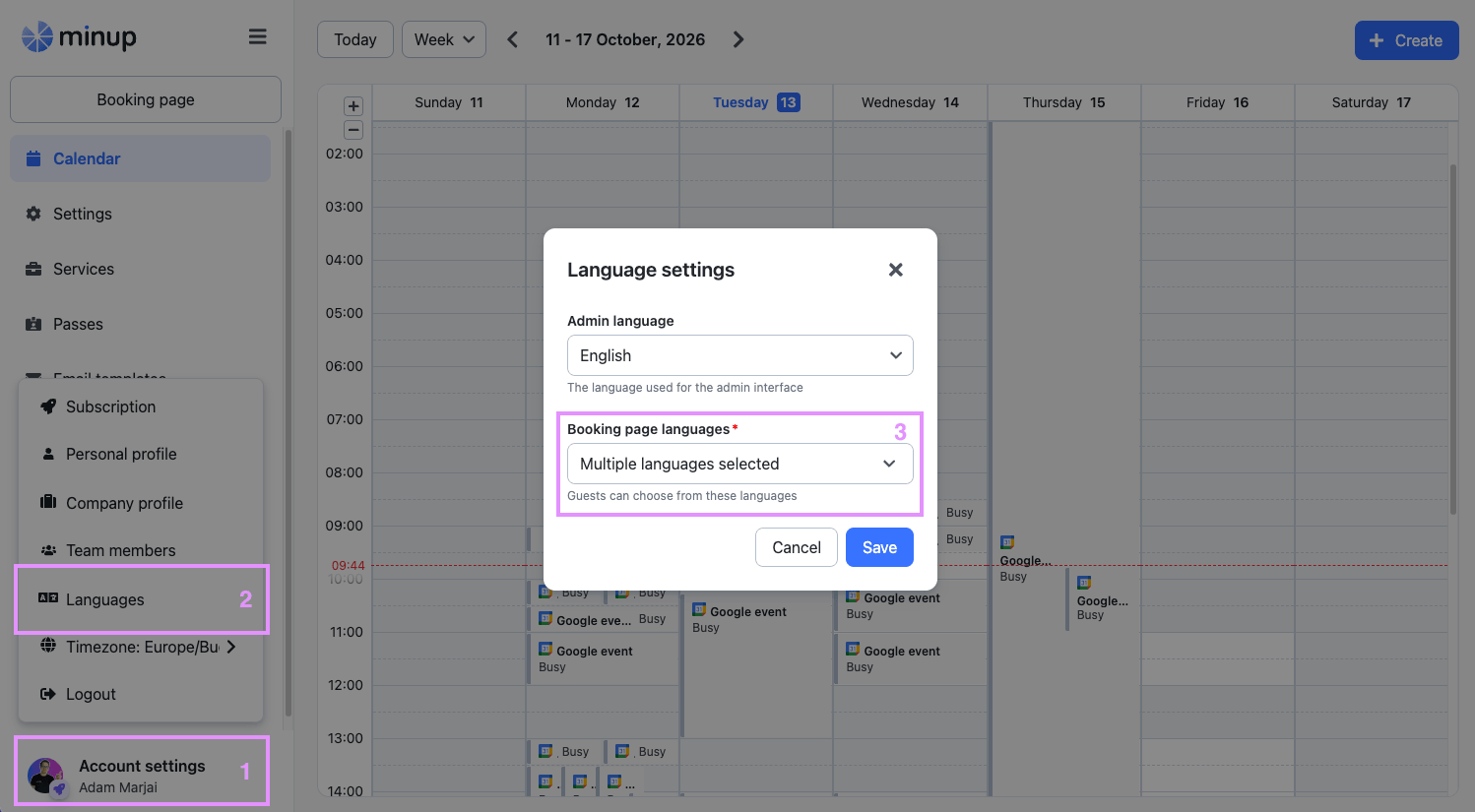
Step-by-step guide:
Go to your admin page.
Click on “Account settings” in the bottom left corner.
Click on “Languages” in the menu.
Choose Booking page languages.
Select the languages you would like to offer for your booking page.
The language selector only changes the fixed elements of your booking page (e.g. buttons, system messages). Your bio, service names and descriptions, and custom form fields are not translated automatically - it's worth providing these in multiple languages if you serve clients in more than one language.
Once you click on the language, the admin page and your booking page will automatically switch to the new language. You can change the language anytime.
If you haven’t customized your email templates, your clients will always receive automatic emails in the language they selected when booking. If you’ve customized the text of an email, the email body will always show your custom text, regardless of the selected language. Fixed elements, such as the booking details and the email footer, will still appear in the language your client selected. If you serve clients in more than one language, consider writing your custom text in multiple languages.